4 posts tagged with "street design"

View All Tags

Creating Photorealistic Pictures and Animations with 3DStreet and AI Rendering Tools


· 6 min read
Kieran Farr
Creator of 3DStreet
Jacob Weiner
2025 Summer Intern, 3DStreet
Features have changed since this post

Due to high user demand, AI rendering is now built directly into 3DStreet — you can generate photorealistic images and videos from the Editor's snapshot dialog or the dedicated AI Generator app, without piping screenshots through external tools. See the current AI Rendering documentation for the supported workflow. We're keeping this post for historical context.

Did you know that you can realistic rendering and animations of your street scenes using free or low cost AI tools? Transform your basic 3D street designs into stunning photorealistic images and dynamic animations that will captivate stakeholders and bring your vision to life with this step-by-step guide.


In this guide, we'll walk through the complete workflow to take a 3DStreet scene from simple 3D rendering to more realistic images and animations using Black Forest Labs (BFL) and Google's Veo3 Models.

10 Prompts to Supercharge Your Workflow with the New AI Assistant

· 6 min read
Jacob Weiner
2025 Summer Intern, 3DStreet
Features have changed since this post

The AI Assistant has been renamed to Console and now lives as a tab in the right-hand side panel. The dedicated Create Street, Take Snapshots, and Generate Report button shortcuts referenced below no longer exist — the natural-language prompts still work (except the Report Generator, which has been removed). Type /help in the Console to see current example prompts. See the Console documentation for up-to-date behavior. We're keeping this post for historical context.

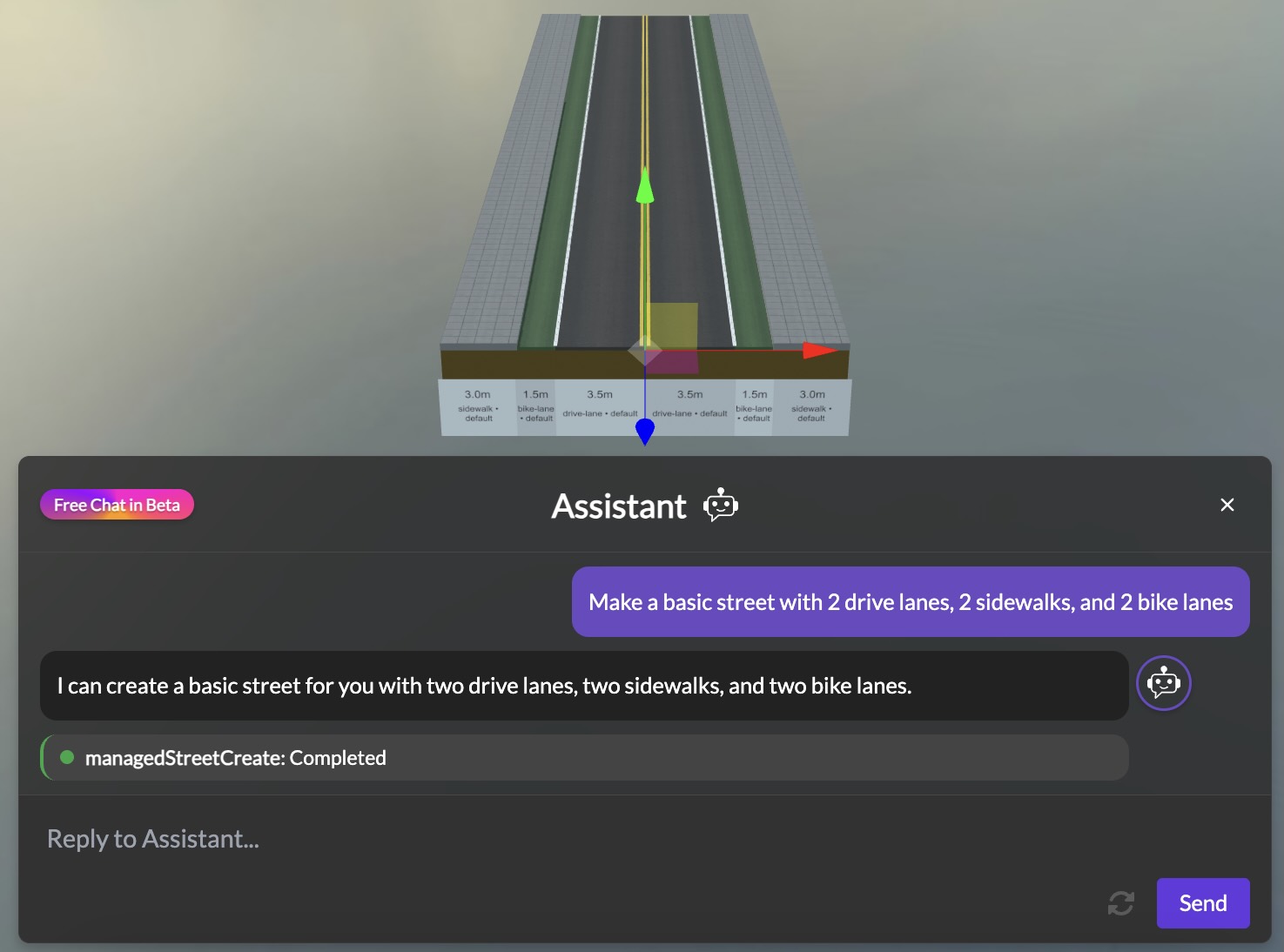
Screenshot showing the 3DStreet AI Assistant interface with a sample prompt

The new AI Assistant is here, and it's transforming how we create and modify street designs in 3DStreet! To help you hit the ground running with this powerful new feature, we've compiled a list of 10 essential prompts that showcase its capabilities and will help you optimize your design workflow right away.

Introducing AI Assistant Beta: Your Creative Partner for Street Design

· 7 min read
Kieran Farr
Creator of 3DStreet
Features have changed since this post

The AI Assistant has been renamed to Console and now lives as a tab in the right-hand side panel, not a floating button at the bottom. The Report Generator described in earlier posts has been removed, and the Console now streams a live history of every editor command as pills you can rewind or replay. See the current Console documentation for up-to-date behavior. We're keeping this post for historical context.

Today we're excited to announce the beta release of the 3DStreet AI Assistant, a new way to create and modify street designs using simple natural language. Just describe the street scene you want to create, and watch as your vision comes to life – no complex 3D editing required.*


Screenshot showing the 3DStreet AI Assistant interface with an example conversation

From Photos to 3D: Creating Custom Models with AI for Creative Street Scenes

· 5 min read
Kieran Farr
Creator of 3DStreet

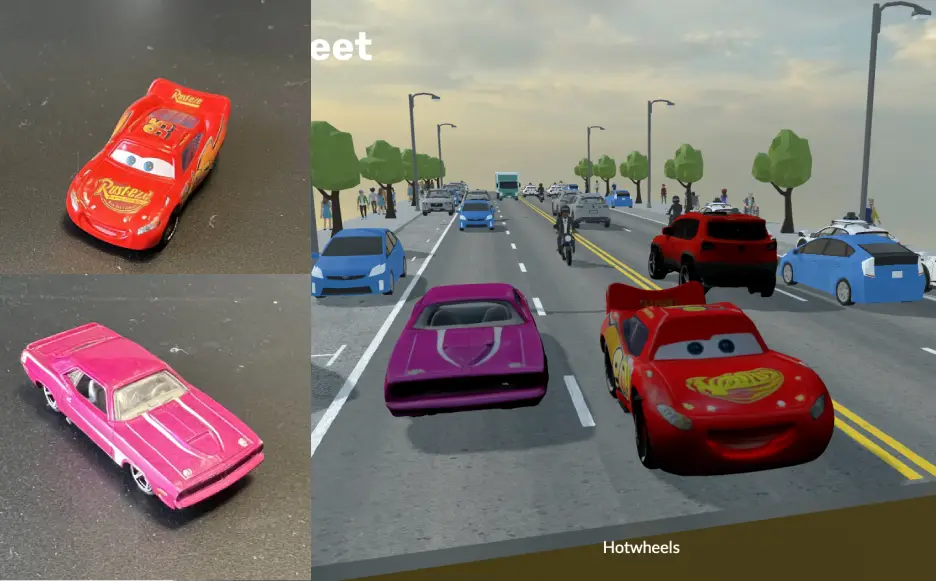
A split image showing a physical toy car on the left and its 3D model counterpart in a street scene on the right

Have you ever found yourself designing a street scene and wishing you had that perfect 3D model to bring your vision to life? Whether it's a unique piece of street furniture, a local landmark, or even a toy car, traditional 3D modeling can be time-consuming and requires specialized skills. But what if you could turn any object into a 3D model with just a couple of photos and some AI magic? Let's explore how to do exactly that!