3D Gaussian Splats
A 3D Gaussian splat is a way of representing a real-world object or scene captured from photos or video as a cloud of colored, view-dependent points. Splats can look strikingly photorealistic, which makes them a great way to bring real existing conditions, a scanned landmark, or a physical prototype into a 3DStreet scene alongside your designed elements.
3DStreet supports splats in two ways:
- Generate a splat from your own image or video in the AI Generator.
- Upload an existing splat file (
.ply,.splat, or.spz) as a custom asset and drag it into a scene.
Splat support is experimental and offered as a research preview. Results vary with the quality of your capture, and the feature set is evolving. We'd love your feedback in Discord.
Generating a splat (Splat tab)
Open the AI Generator, sign in, and select the Splat tab. There are two ways to generate a splat, each charged in AI generation tokens:
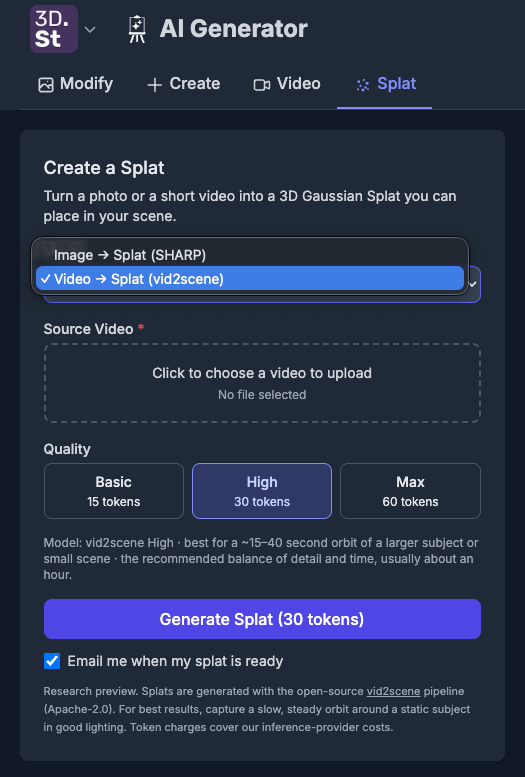
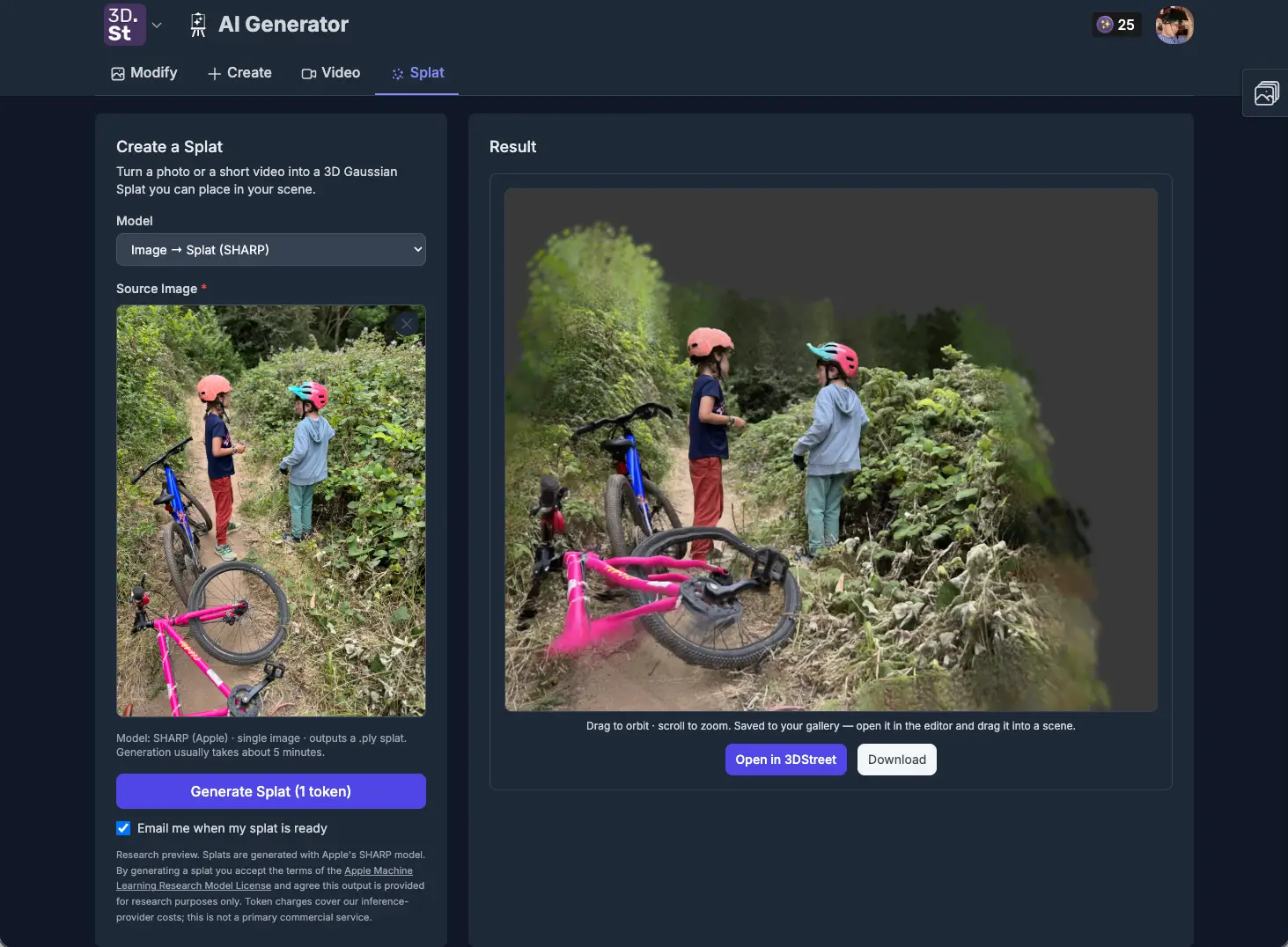
Image to Splat
Turn a single photo into a splat using Apple's SHARP model.
- Input: one image
- Cost: 1 token
- Processing Time: about 5 minutes
- Output: a
.plysplat saved to your gallery
This is the fastest way to try splats and works well for a single object photographed against a clean background.
Video to Splat (vid2scene)
Record a slow, steady orbit around your subject with your phone and reconstruct it into a full splat using the open-source vid2scene pipeline. Three quality tiers trade detail for processing time:
| Tier | Recommended video | Cost | Typical processing time |
|---|---|---|---|
| Basic | ~10–25 second orbit | 15 tokens | ~30 minutes |
| High | ~15–40 second orbit | 30 tokens | ~1 hour |
| Max | ~50–90 second orbit | 60 tokens | 1–2 hours |
Pick the tier with the Basic / High / Max buttons after you choose your source video. High is the recommended balance of detail and time for most subjects.
Because these renders can take a while, generation runs server-side on a durable queue. You can close the tab and your finished splat will still appear in your gallery when it's ready, and a token is only charged once a render succeeds. If a render fails, the token is refunded automatically.
Tips for a good capture
- Move slowly and steadily in a smooth orbit around a static subject.
- Use even, consistent lighting and avoid strong glare or moving shadows.
- Keep the subject centered and fully in frame throughout the orbit.
- Longer, smoother orbits give the reconstruction more unique viewpoints to work with.
Using splats in a scene
Generated and uploaded splats are treated as ordinary assets:
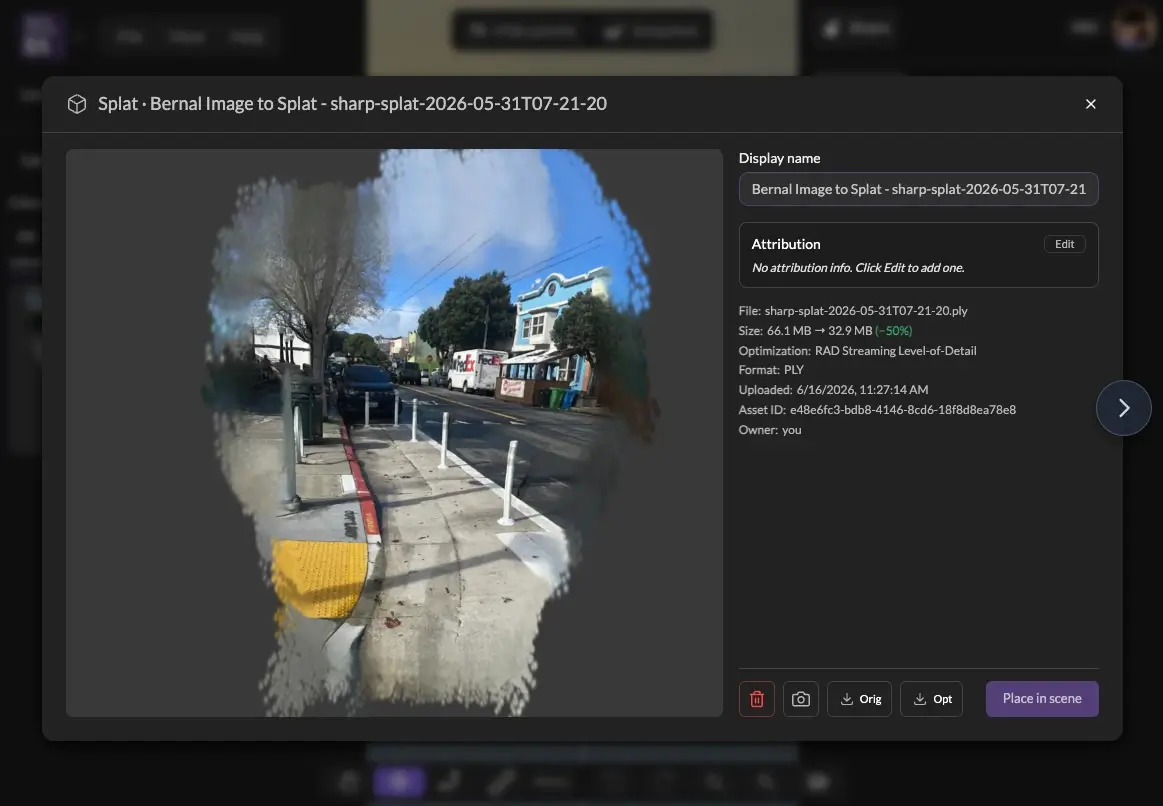
- They appear in your Assets panel and in the Gallery.
- Drag a splat from the panel into the viewport to place it, exactly like a 3D model.
- Preview a splat in the live viewer from its asset details before placing it.
Splats render through the Spark Gaussian splatting renderer for three.js.
Automatic streaming optimization
Raw splat captures are heavy: a good scan can be hundreds of megabytes and tens of millions of points, which makes it slow to download and demanding to render. 3DStreet handles this for you automatically, the same way it optimizes uploaded GLB models.
When you generate or upload a splat, 3DStreet converts the source file into a RAD file in the background. RAD is a level-of-detail (LOD) format from the Spark renderer built specifically for streaming, and it's the splat analog of the GLB "optimized" variant. Like GLB optimization, it runs silently with no setup on your part.
The RAD format brings two benefits:
- Progressive streaming. RAD files stream over HTTP range requests, so a large scene starts rendering almost immediately and fills in detail as data arrives, instead of stalling on one enormous download.
- Level of detail. The renderer fetches only the detail it needs for the current view, which keeps large multi-million-point scans performant in an ordinary browser tab.
As with GLB, both versions are kept: the original splat (so you can re-download or re-process it) and the streaming RAD derivative. Conversion runs server-side and may take a short while after a large upload; your scene uses the original until the RAD is ready, then prefers the optimized version automatically.
Uploading an existing splat
If you already have a splat file from another tool, upload it as a custom asset. Drag the file onto the Assets panel or the editor viewport. Supported splat formats:
| Type | Formats |
|---|---|
| Gaussian splat | .ply, .splat, .spz |
See the Asset System for storage, quotas, and asset management details.
What makes 3DStreet splats different
Plenty of tools can display a Gaussian splat. What's distinctive about 3DStreet is that splats are a native part of a street-design environment, not an isolated viewer:
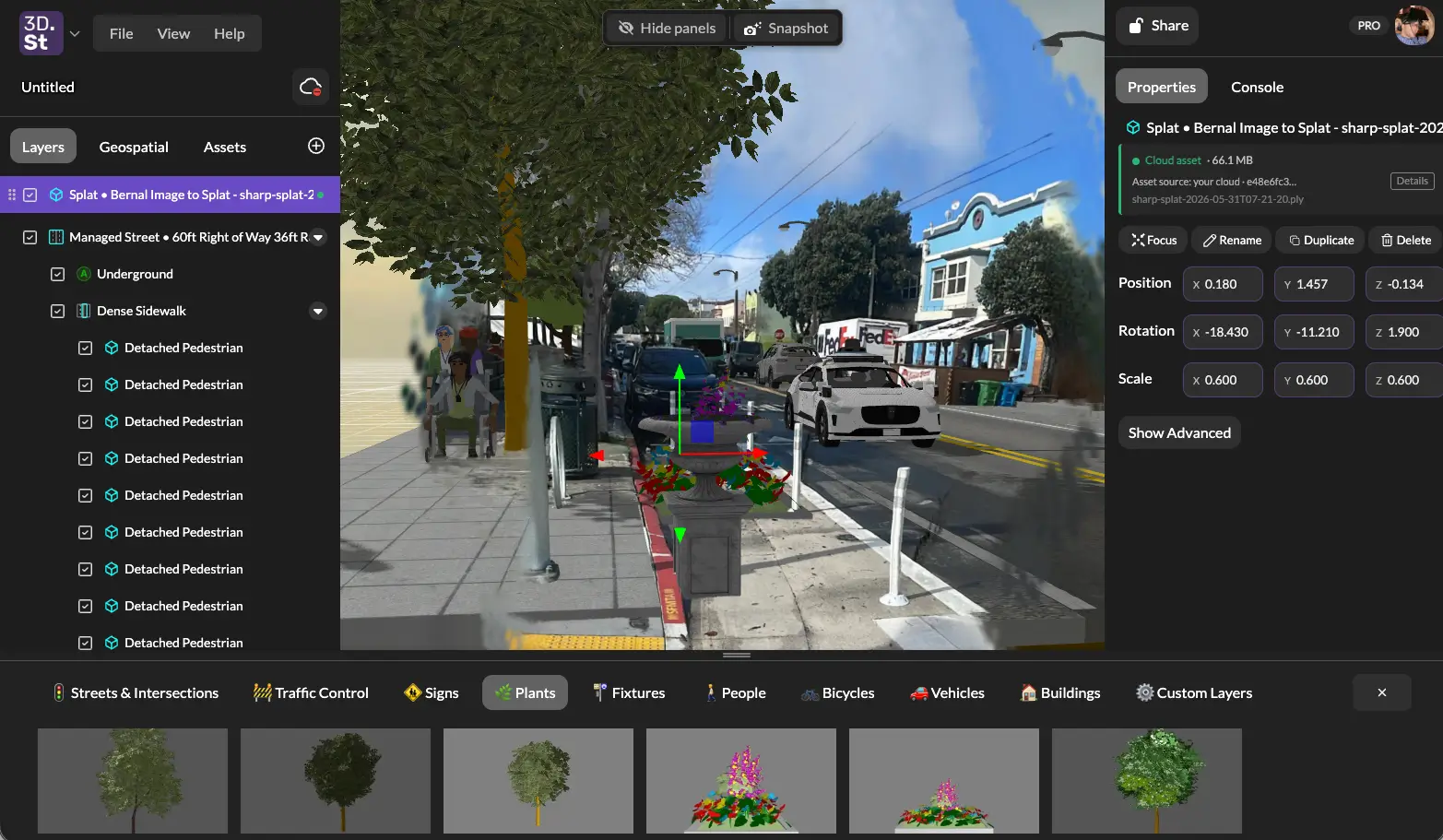
- Generate from your own capture, in-app. Turn a phone photo or a short orbit video into a splat with no external photogrammetry pipeline to set up.
- Compose with everything else. Drop a splat into the same scene as procedural managed streets, the built-in 3D model library, and geospatial context such as Google 3D Tiles and OpenStreetMap. Real captured conditions and proposed designs live side by side.
- Optimized for the web automatically. The RAD streaming pipeline above means large real-world scans are usable in a normal browser tab, with no manual optimization step.
- Carries through the rest of the workflow. A scene with a splat can still be rendered with AI, shared, and presented like any other 3DStreet scene.
- Optimized for Massive Scans 3DStreet is designed to handle extremely large Gaussian splat files covering multiple square miles through the use of the RAD streaming format.
The payoff: you can capture an existing street or site as a splat and design directly against it, with real context standing behind your proposal.
Related
- AI Rendering — image and video generation in the AI Generator
- Asset System — uploading and managing custom assets
- Product Update: Custom Asset Uploads, Video-to-Splat, and Bollard Buddy for iOS